
What's new
Hand it whatever you've got
Point your AI at the folder and say what's inside — it works through everything there, one by one.
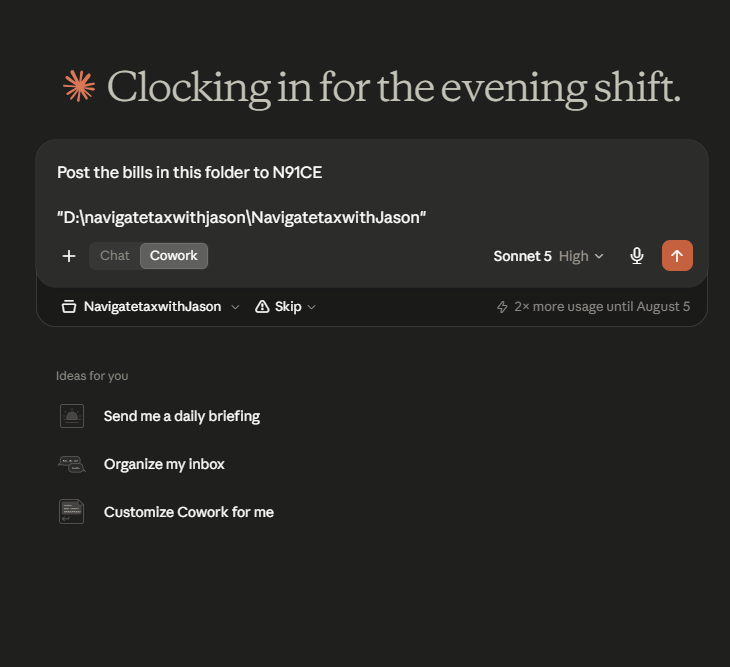
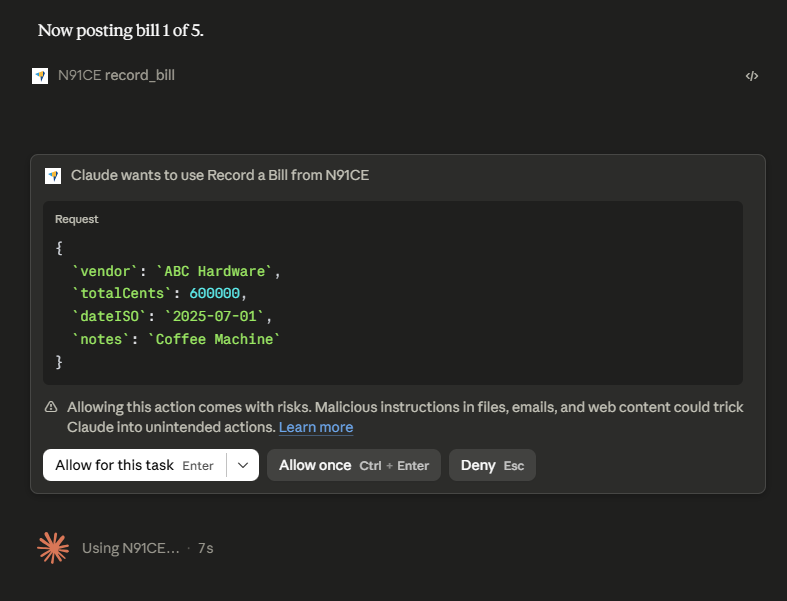
Your AI keeps you in control.
Your AI will request for your permission before important decisions.
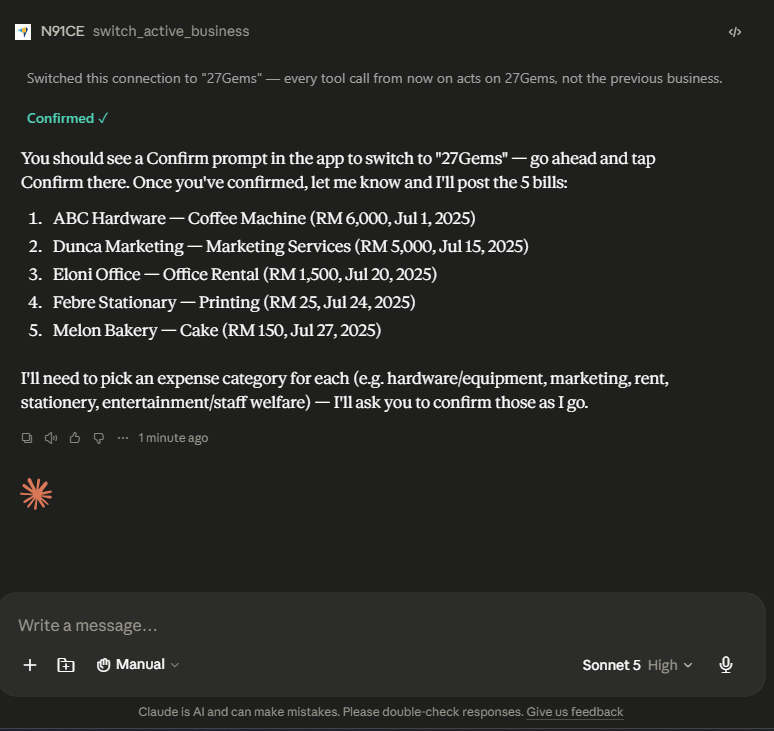
Review, wherever you are
Two ways to check the pile before it becomes real bookkeeping:
- In the app. The Reconcile screen's pending queue shows each staged item — vendor, date, amount, and expense category.
- In chat. Tell your AI which ones — "confirm all of them", or "confirm the Ali Hardware one but put it under stationery instead."
How to use it
- 1 Make sure your AI Accountant is already paired. Not yet? Connect it first.
- 2 In chat, attach your folder and say what they are — "post these receipts" or "here's my March statement."
- 3 Wait for the report back
- 4 Review the pile
- 5 Confirm.
Notes
Versions. Jade is now v1.3.4.
If Jade looks out of date. Open Menu and tap "Not seeing the latest version? Tap to refresh" near the bottom. Still stuck? Hard-refresh your browser — Ctrl+Shift+R (Windows/Linux) or Cmd+Shift+R (Mac) — or on phone, close the tab or app fully and reopen it. This happens because Jade runs offline-first: your browser keeps a local copy so it still works without a signal, and that copy can lag a version behind right after we ship something new.
Chat actions not going through? Use Claude's desktop app.
Already paired? Open chat and hand over your next stack of paperwork.
Not paired yet? Connect your AI Accountant first, then come back.
New to Jade? Start Jade, or read more about what Jade does.